1. Log into the Web portal
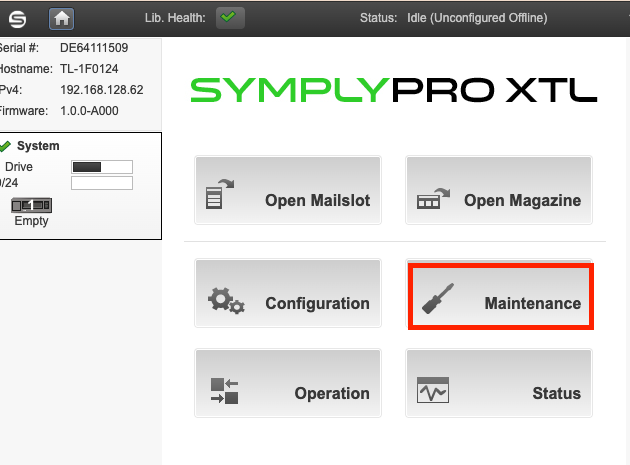
2. Go to Maintenance
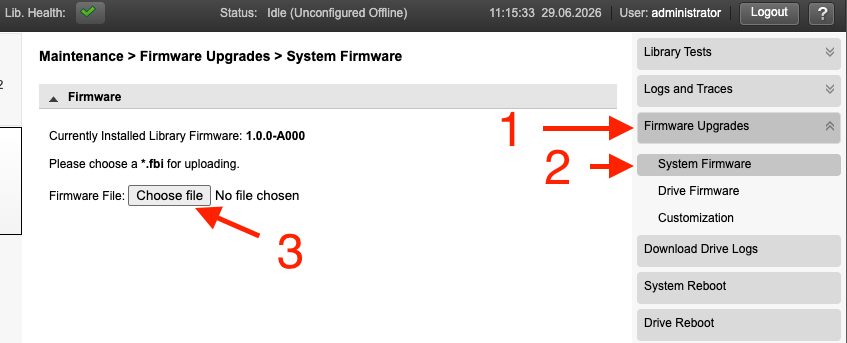
3. Select Firmware upgrades and choose the library firmware file you downloaded.
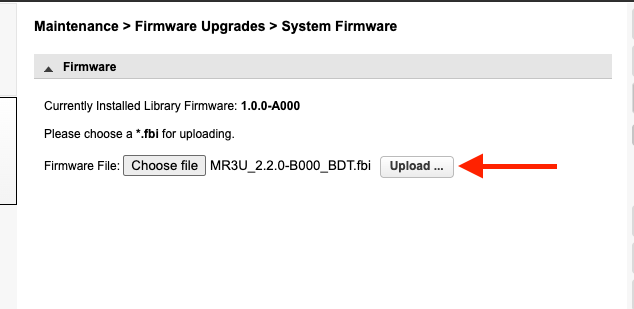
4. Click Upload to start the firmware upgrade process.
5. The system will reboot after the process is complete

Modified on: Mon, 29 Jun, 2026 at 1:13 PM
1. Log into the Web portal
2. Go to Maintenance
3. Select Firmware upgrades and choose the library firmware file you downloaded.
4. Click Upload to start the firmware upgrade process.
5. The system will reboot after the process is complete
Did you find it helpful? Yes No
Send feedback